
Check Coverage
Fibre Price Plans
40/20 Mbps Fibre
Starting at
R399.00 /month
PROMOTION
50/25 Mbps Fibre
2 Month PROMO R425
R645.00 /month
50/50 Mbps Fibre
Starting at
R799.00 /month
100/50 Mbps Fibre
Starting at
R945.00 /month
100/100 Mbps Fibre
Starting at
R1020.00 /month
200/100 Mbps Fibre
Starting at
R1150.00 /month
200/200 Mbps Fibre
Starting at
R1230.00 /month
POPULAR
300/150 Mbps Fibre
Starting at
R1405.00 /month
Please Note:
Fibre Installation Terms
* Acceptable Usage Policy applies. Price Includes VAT.
* Fibre prices quoted are for Openserve Fibre lines, prices will vary with other fibre line providers. Fibre Broadband Access is supplied as a best effort service by the supplier. Should we not be able to proceed with your application we will advise you thereof.
Fibre installations are subject to an installation and connection fee. Additional fees may apply should trenching be required to complete the installation. ITNT will make any additional charges known to the client and the client will be required to accept or reject these charges before the order is completed.
Please note that should the service be ordered and the incorrect address is supplied, the client will be responsible for all charges relating to the order placed at the incorrect address.
An additional fee will be charged for re-grading the speed of a fibre line as well as outdoor transfers (new address) and transfers between Service Providers.
A Calendar month's notice is required for cancelation. Written Cancellations for fibre lines must be submitted via the support email channel.
By completing the order it is deemed that consent has been received from the landlord, owner or body corporate for the installation of the service.
Fibre Internet Specifications
- Fibre symmetrical services - ITNT fibre solution provides equal upload and download speeds, ensuring that important emails with large attachments or urgent work documents that you need to upload will always go through at high speeds.
- Available Throughout South Africa – Desktop surveys can confirm fibre availability in your area. As Fibre availability increases its points of presence across South Africa you can have access to the future of internet services.
- Scalable Services – Services can be easily upgraded to meet growth in data transfer requirements. These services accommodate small, medium and large enterprise networks who require constant internet connections for large file transfers and steady email traffic.
- “Best-Effort” Service - In lieu of no SLA attached to the Broadband service, our enterprise service desk and support technicians are always available to assist you at all times.
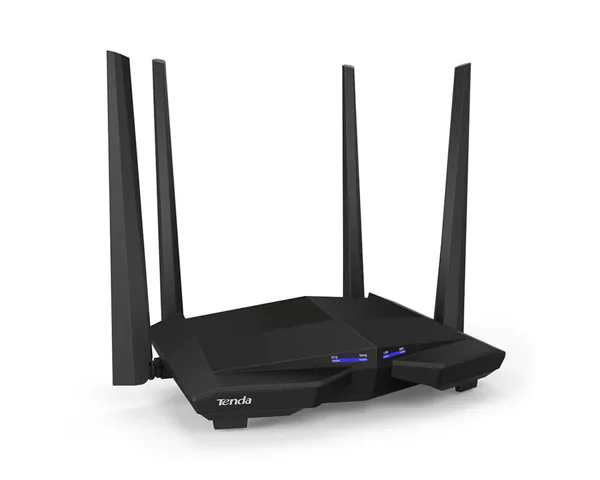
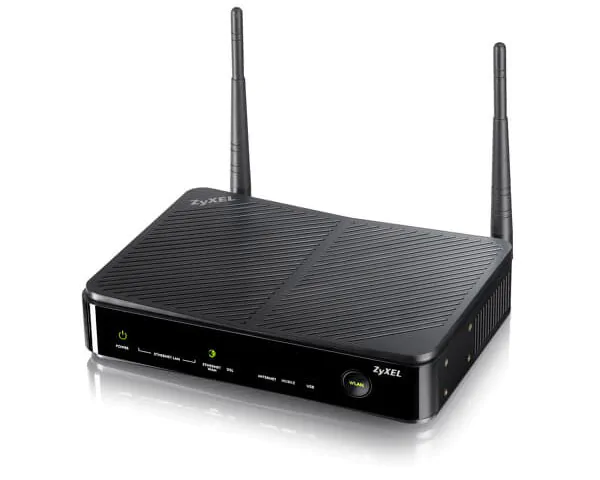
- Fibre Router - ITNT will include a new configured router on any new Broadband Fibre service. Upgrades to fibre speeds above 30Mbps will incur a surcharge of R750 to support the 30Mbps to 100 Mbps speeds.
Broadband Fibre Internet Services
ITNT’s Fast Fibre Lines services provide clients with access to the Internet from 25Mbps up to 200Mbps. If you are looking for reliability and availability at high speeds online then Broadband Fibre is the solution to your internet or VPN services.
Available as an uncapped broadband fibre service for home and businesses. Fast Fibre offers blistering fast and reliable internet access.
Enjoy permanent connectivity to the internet with a fixed monthly rental regardless of the amount traffic you send over the link. Uncapped service that supports data, voice and video signals at speeds ranging up to 200 Mbps. Fibre prices quoted are for Openserve Fibre Combo lines, prices will vary with other fibre line providers.
Check Coverage Compare Packages
Fibre has replaced Diginet
ITNT’s Diginet Lines are now replaced with a superior technology called Broadband Fibre. Dedicated Fibre gives clients the ability to lease dedicated bandwidth to enable their business to communicate using the fastest local and international internet bandwidth.
A diginet leased line is a dedicated circuit that supplies permanent connectivity to the internet. This is now end of life and no longer available and replaced using a dedicated fibre solution. Fibre lines can start at speeds of 4 Mbps and increase up to 200Mbps and because Fibre is a leased line service you only pay a fixed monthly rental regardless of the amount traffic you send over the link. It is an uncapped service that supports data, voice and video signals at speeds ranging up to 200 MB/s. Uncontended and Synchronous fibre services are available on request
Fibre Benefits
- Available Throughout South Africa – Fibre provides dedicated connectivity and runs off a national digital data transmission network, which has more than 1 000 points of presence across South Africa and is monitored 24 X 7.
- Scalable Services – Services can be easily upgraded to meet growth in data transfer requirements. These services accomodate small and medium enterprise networks who require constant internet connections for large file transfers and steady email traffic.
- VPN Services – point to point solution available throughout South Africa, with shorter leads times required to deploy and offering reliability, quality and cost-effectiveness.
- Quality of Services – detailed MRTG Graphs will be supplied to the client in order to show bandwidth utilisation and line capacity. This service is available 24/7 and is updated every 5 minutes.
- Line and Server up time – will be tracked and monitored so that if there is any failure it will be dealt with immediately by our Support Team in order to cause the least possible disruption to client. Fibre is ideally suited for customers who cannot afford to be offline and require fixed cost and guaranteed connectivity.
Why choose a Fibre line?
- Fixed monthly rate
- You are always connected
- No network congestion
- You choose the connection speed
- Constant connection speed
- Fixed IP Addresses (Optional)
- No contention ratio
- Connect remote offices - VPN Services
Frequently Asked Question
- Symmetrical Service
- Fixed monthly rate
- You are always connected
- No network congestion
- You choose the connection speed
- Constant connection speed
- Fixed IP Address is available as an optional extra to be purchased
Do You Need Fast Fibre?
Get a QuoteSubscribe to Our Newsletter For Updates:

Our Payment Methods